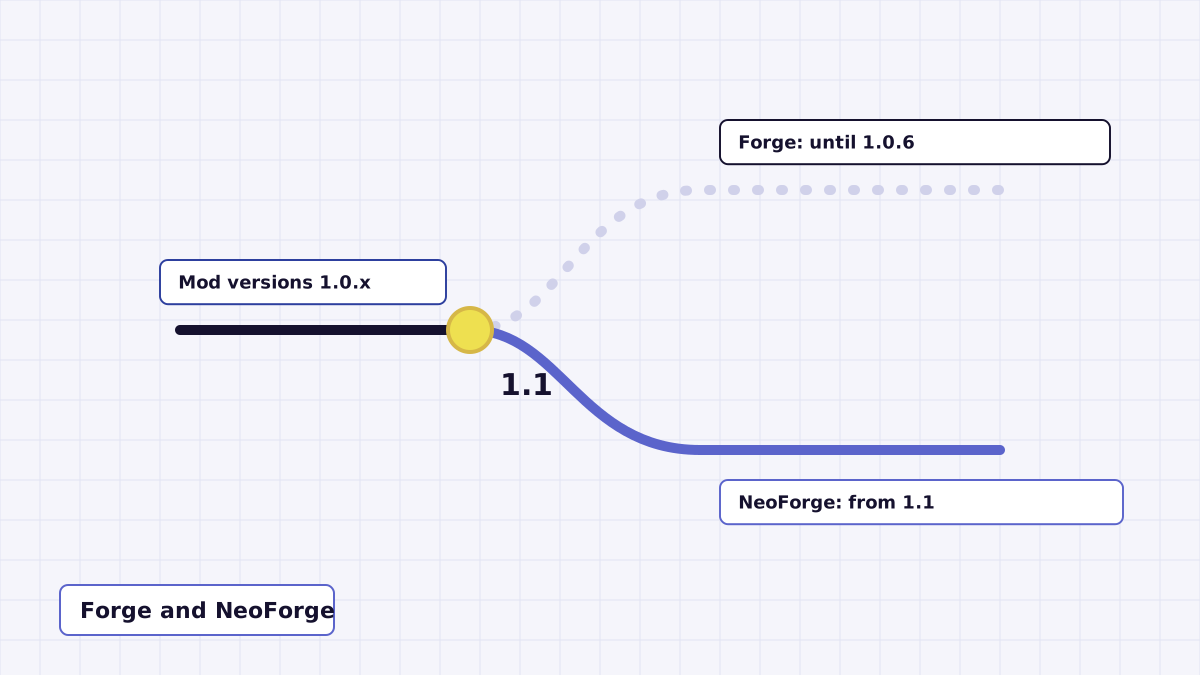
A lot of people search for a Forge version of Night Vision Mod. The honest answer is that Forge support existed for a while and then ended. This guide lays out the history from the changelog and shows how to use the NeoForge build that replaced it.
The short history
| Mod version | What the changelog says |
|---|---|
| 1.0.3 | Support both Fabric and Forge. |
| 1.0.5 | Runs on Minecraft 1.19 onward; the author could not verify 1.20.4 with Forge. |
| 1.0.6 | Fixed the Fabric version compatibility range. |
| 1.1 | Support 1.21. Drop Forge and move to NeoForge. |
| 1.2 | Support 26.1.2 and 26.2. |
So Forge builds belong to the 1.0.3 to 1.0.6 releases. From 1.1 onward the second loader is NeoForge, and the current source contains a nightvision-neoforge project rather than a Forge one.
Can I still use it with Forge?
Only with an older 1.0.x build, and only on a Minecraft version that build supports. The source on this site's download will not produce a Forge jar. If your modpack is on Forge for an older Minecraft version, look for a 1.0.x release whose declared range matches your game, and treat 1.20.4 on Forge as unconfirmed, as the author did.
A NeoForge jar is not a Forge jar. Even though NeoForge grew out of Forge, the two loaders are not interchangeable for current Minecraft versions, and Forge will not load a mod that declares NeoForge as a requirement.
Installing the NeoForge build
- Build the jar from the source ZIP using the steps in the build guide. The NeoForge jar appears in
nightvision-neoforge/build/libs. - Install NeoForge 26.1.2.94 or newer for your Minecraft version using the NeoForge installer. That is the minimum the mod's metadata asks for.
- Run the NeoForge profile once so it creates the
modsfolder, then close the game. - Copy the Night Vision jar into
mods, launch, load a world and press N.
The NeoForge build has no extra library dependency, unlike Fabric, which needs Fabric API.
Small differences between the builds
Both builds register the same key binding (Night Vision, default N, Miscellaneous category) and show the same ON and OFF messages. One difference is visible in the source: the Fabric build resets the toggle to off when a new level loads, while the NeoForge build has no such reset. If you play on NeoForge, the toggle simply stays where you left it.